
How to display customized font appearance in constellation
Pega Constellation provides a modern UI, but there are scenarios where you need to display formatted content with custom fonts, colors, and styles. One of the easiest approaches is to store the formatted HTML in a Paragraph rule, load it into a Text (Paragraph) property, and display it using the Rich Text Editor control.In this article, we’ll walk through the complete implementation.
Step 1: Create a Paragraph Rule
Create a Paragraph rule and design your message using the Rich Text Editor.You can customize: Font size Font color Bold/Italic Background color Text alignment Hyperlinks Tables Images (if required)Tip: Format the text exactly as you want it to appear in the Constellation UI.
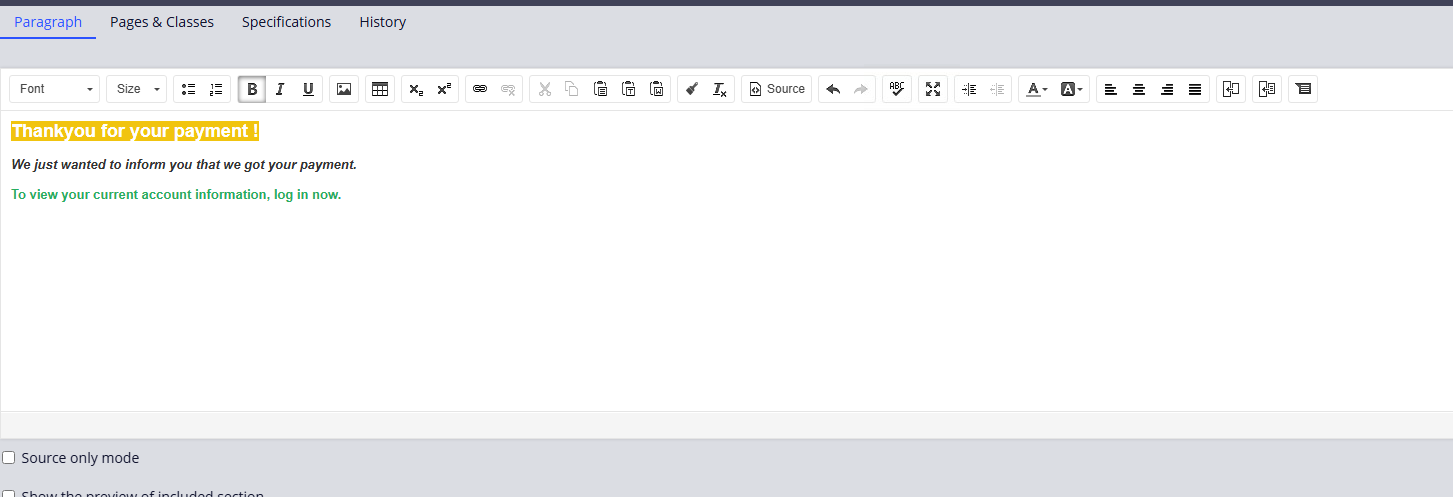
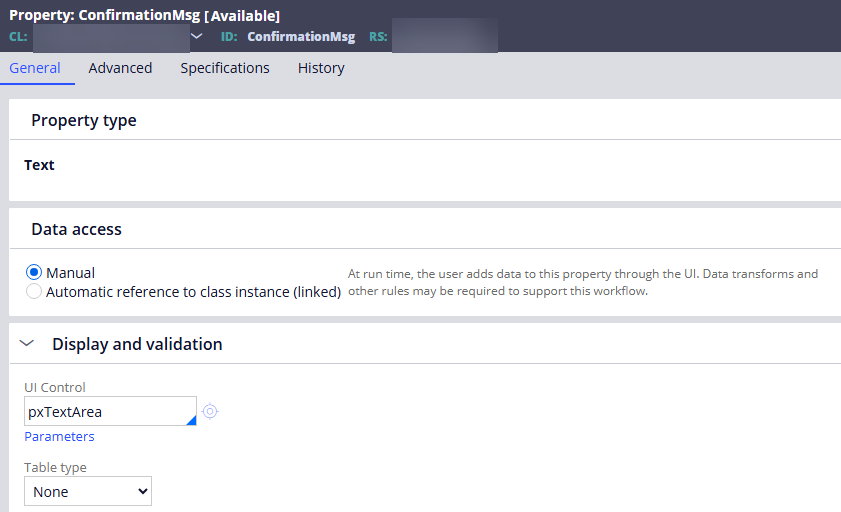
Step 2: Create a Property of Type Text (Paragraph)
Create a property that will hold the formatted paragraph content. This property will receive the HTML generated from the Paragraph rule.
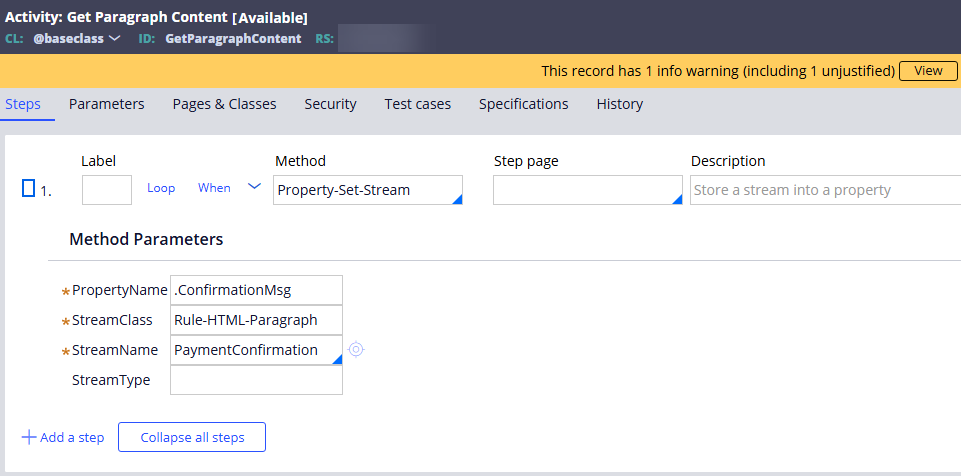
Step 3: Create an Activity to Load the Paragraph Content
Create an activity (for example, GetParagraphContent) and use the Property-Set-Stream method.Configure the method parameters:ParameterValuePropertyNameProperty that stores the paragraph output (for example, .ConfirmationMessage)StreamClassRule-HTML-ParagraphStreamNameName of your Paragraph ruleStreamTypeLeave blank (if not required)The activity renders the Paragraph rule and stores its HTML into the specified property.
Step 4: Call the Activity and Display the PropertyCall the activity before rendering the view.
This can be done from: Flow Action Data Transform (via Activity) Flow Other appropriate processing based on your application designIn your Constellation View: Add the Text (Paragraph) property. Configure Display As = Rich Text Editor.The Rich Text Editor renders the HTML stored in the property.
Step 5: Verify the OutputRun the case.
The formatted text from the Paragraph rule is displayed in the Constellation UI with the same styling, including:
Custom font formatting
Font colors
Bold and italic text
Background colors
Hyperlinks
Rich text formatting

Advantages of This Approach
No custom React component required. Easy to maintain through Paragraph rules. Business users can update formatted content without modifying UI code. Reusable across multiple case types and applications. Fully compatible with Pega Constellation Rich Text rendering.
Summary
By combining a Paragraph rule, a Text (Paragraph) property, the Property-Set-Stream activity method, and the Rich Text Editor control, you can easily display rich, custom-formatted content in Pega Constellation without developing custom UI components.This approach is ideal for confirmation messages, payment acknowledgements, instructions, legal text, and any other content that requires custom formatting while remaining easy to maintain.